MyAnimeList
Overview
Redesign of MyAnimeList (MAL), a popular anime database and community app
Transforming the MAL experience from confusing and overwhelming into intuitive and inclusiveRole
UX Designer(User Testing, Design, Prototyping)
Project Time
4 months (Sep 2024 - Dec 2024)
the problem
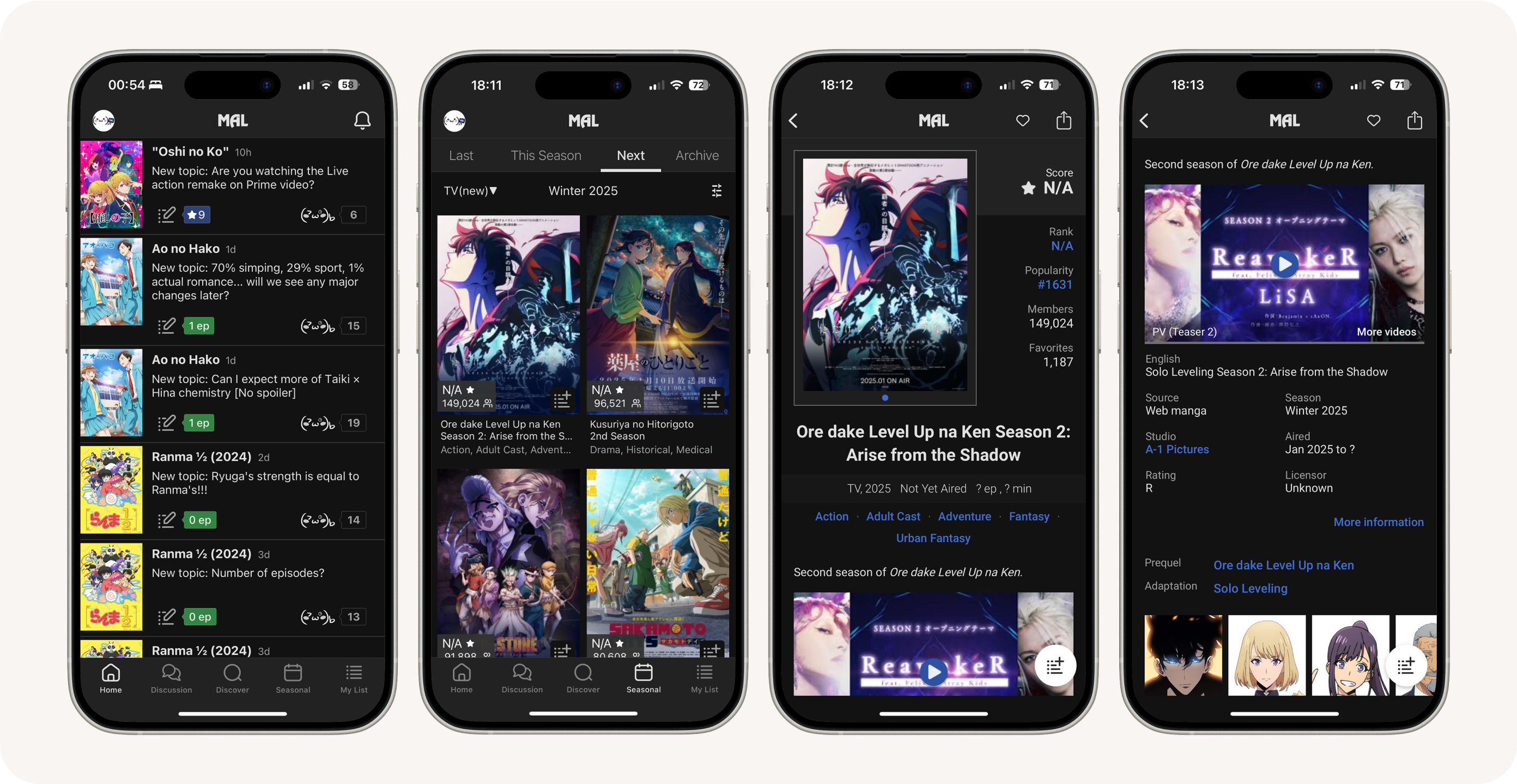
MyAnimeList (MAL) is a popular cataloging, database, and community app for anime and manga. The app was named after their main feature: lists that users can make to organize and log anime/manga. Originally a website, they released a mobile app version that is available on both App Store and Google Play; however, it has a subpar rating of 3.7.
To figure out the reason behind its relative unpopularity, I conducted an app audit with 5 participants. To summarize my findings, user complaints could be placed in one of four categories:
- Unfriendly to new users
- Overwhelming and unintuitive interface
- Lack of feedback
the vision
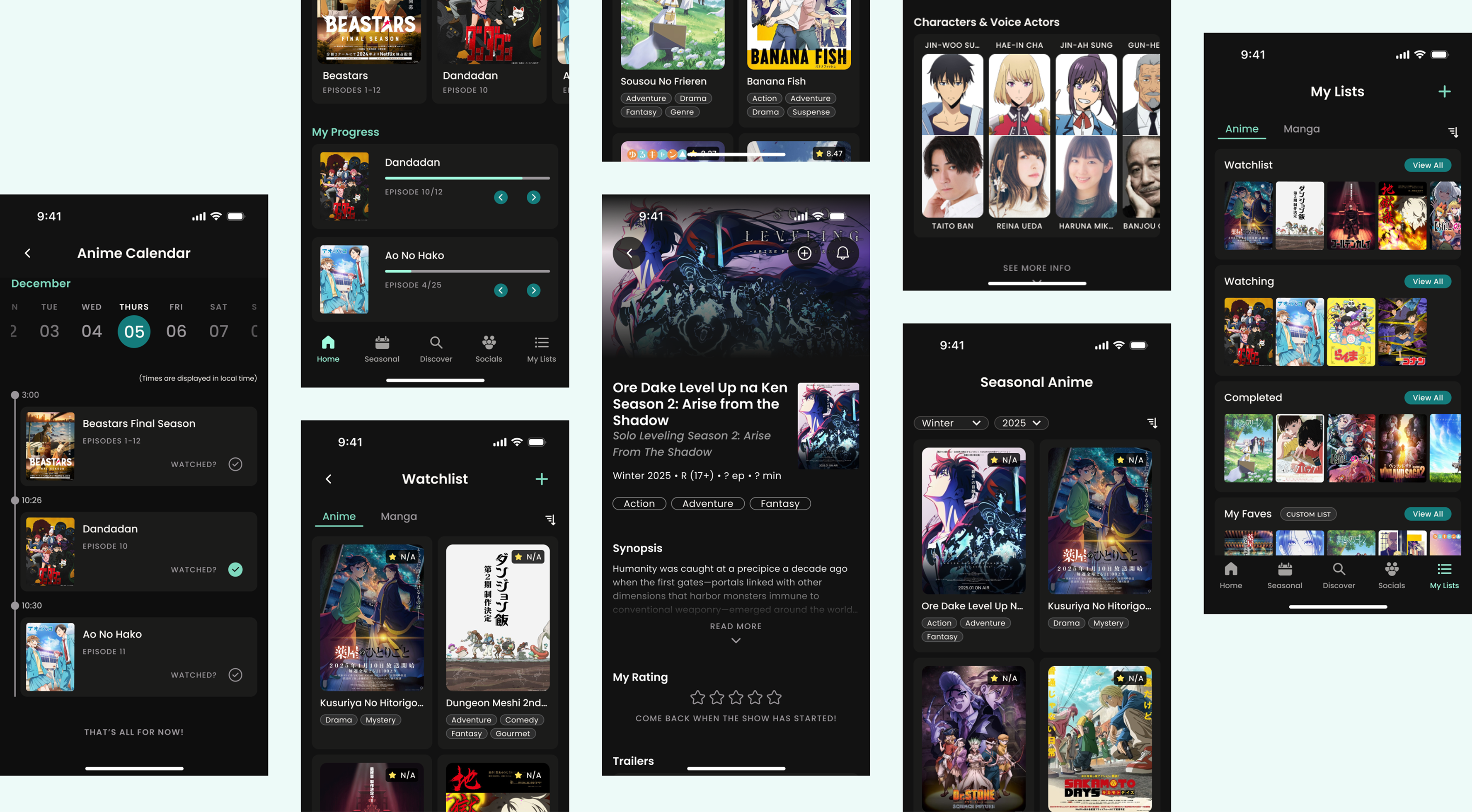
The goal of the redesign was to clean up the interface and transform the app into an easy-to-understand anime one-stop shop for all people. The idea was that by making the app simpler and more intuitive, users would be able to easily find and update the information as they need, which would give them more time to, well... watch anime.
the design
While updating the interface, much consideration was placed on creating cohesion and consistency across the app.
lists
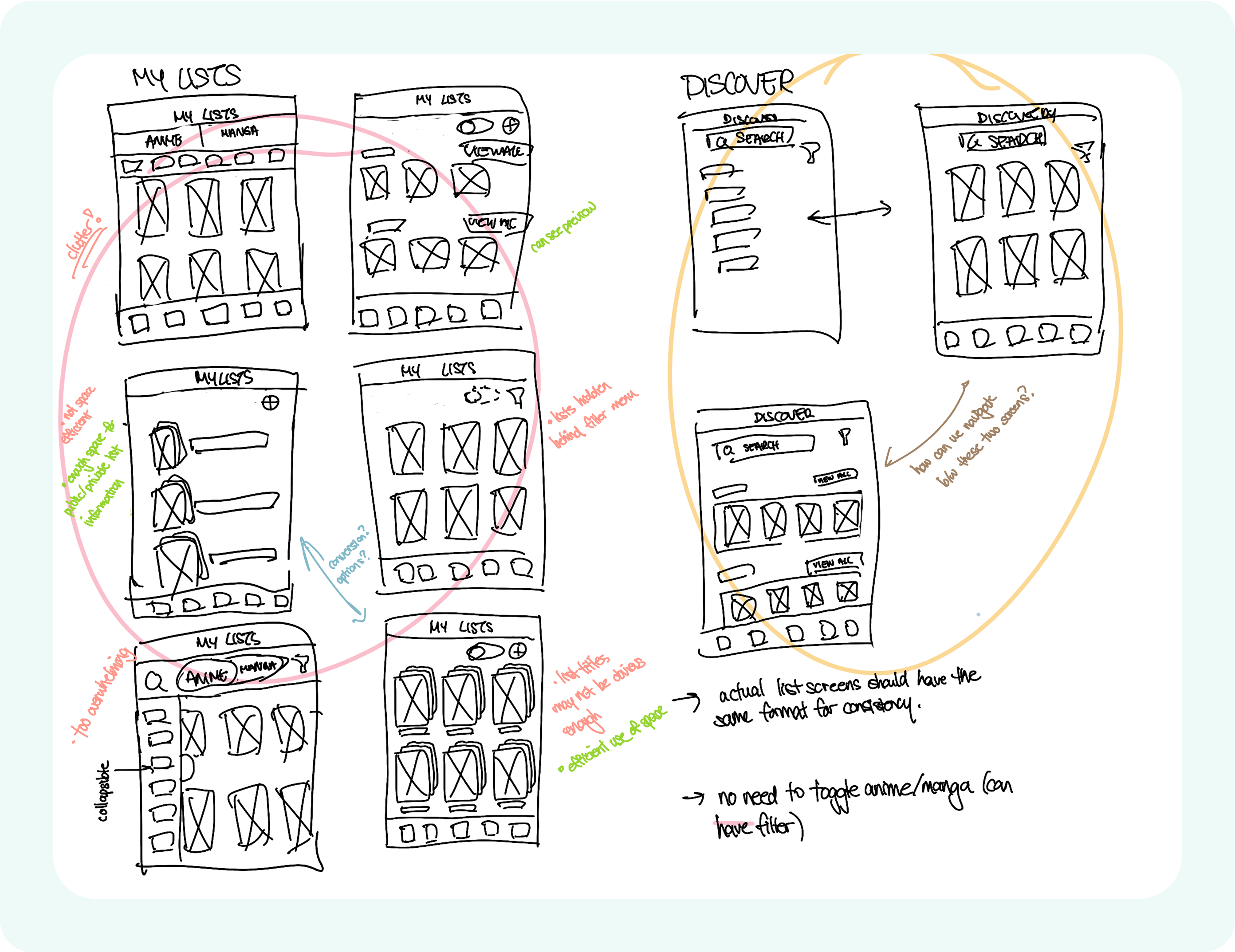
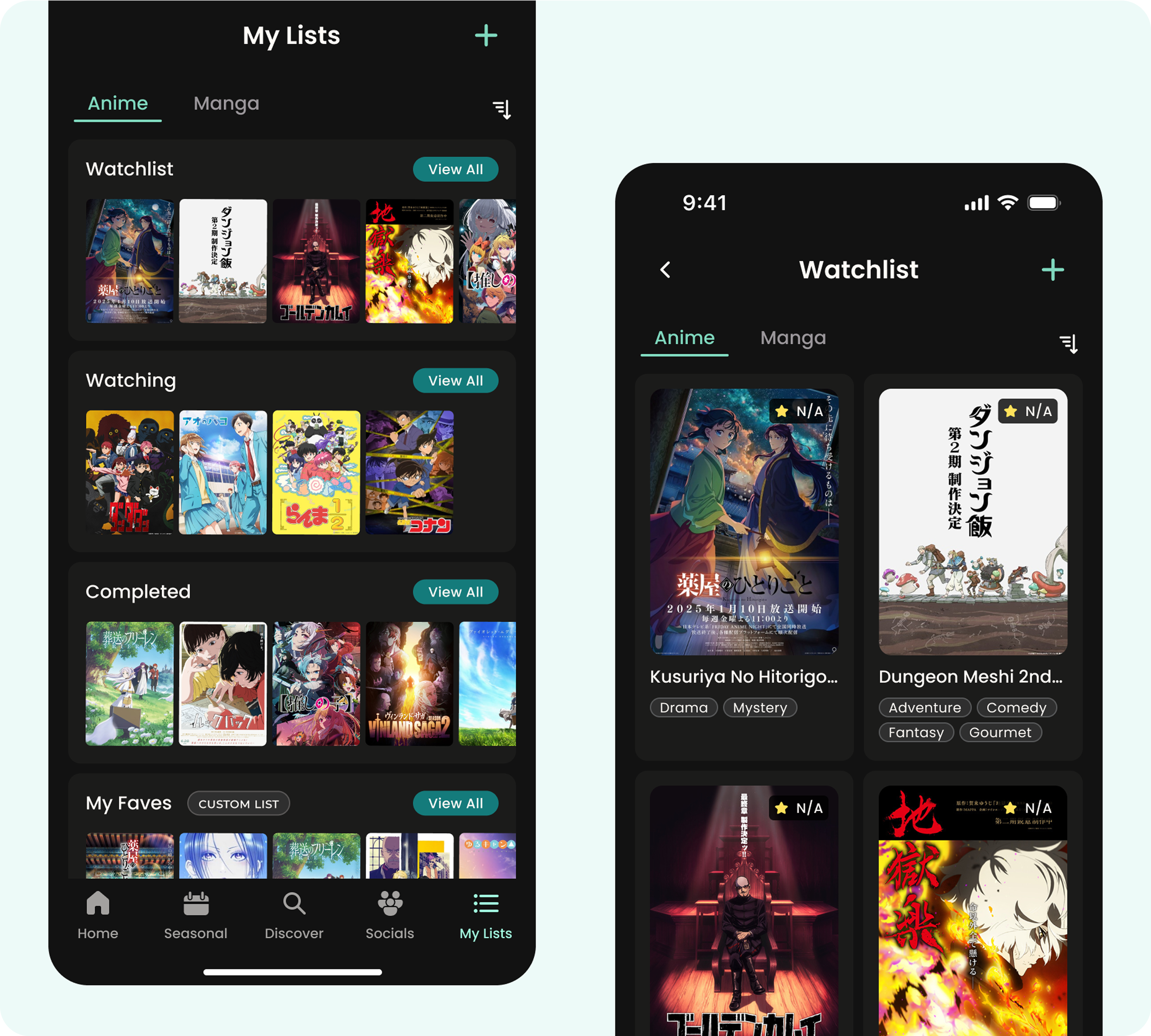
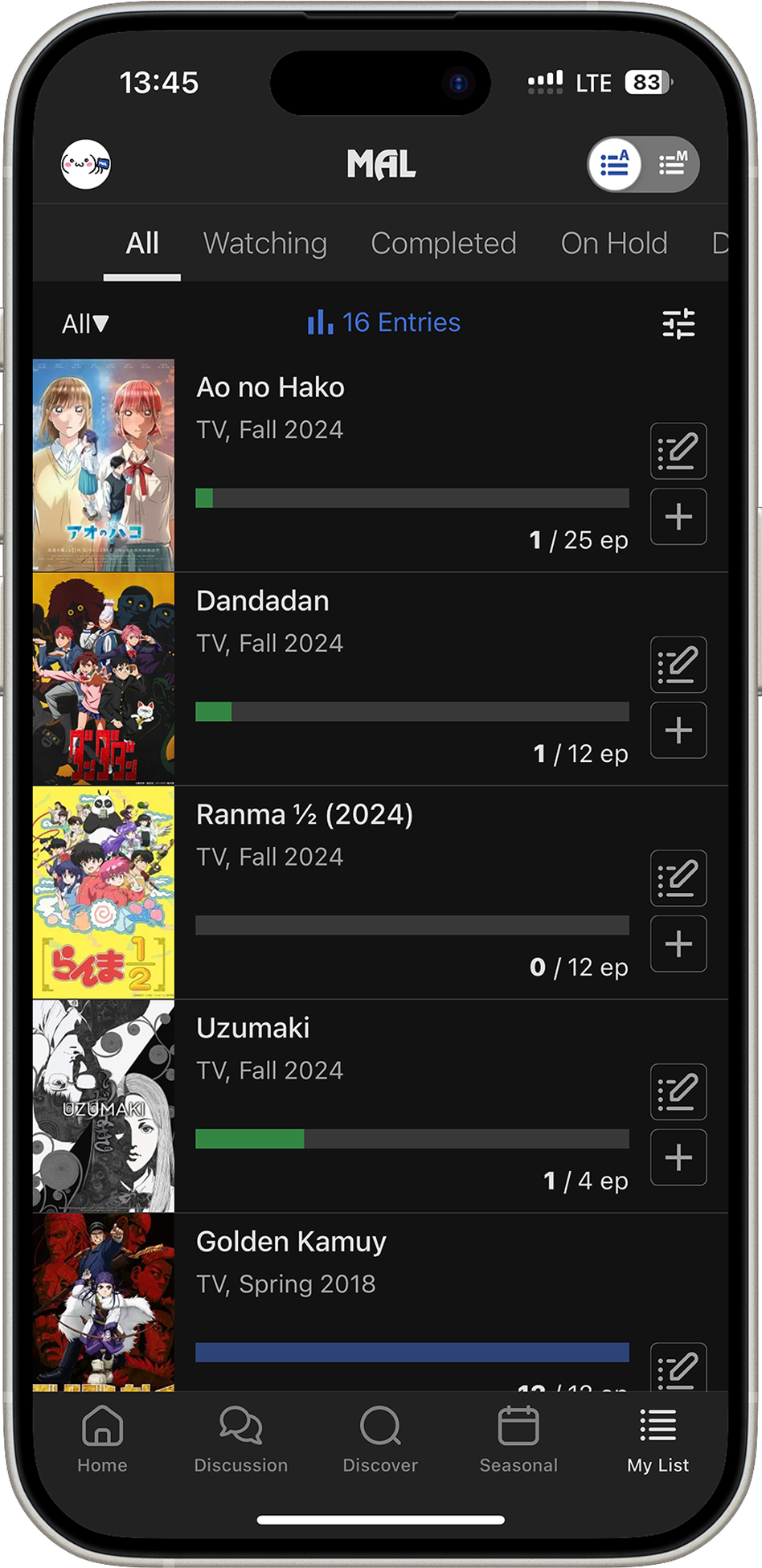
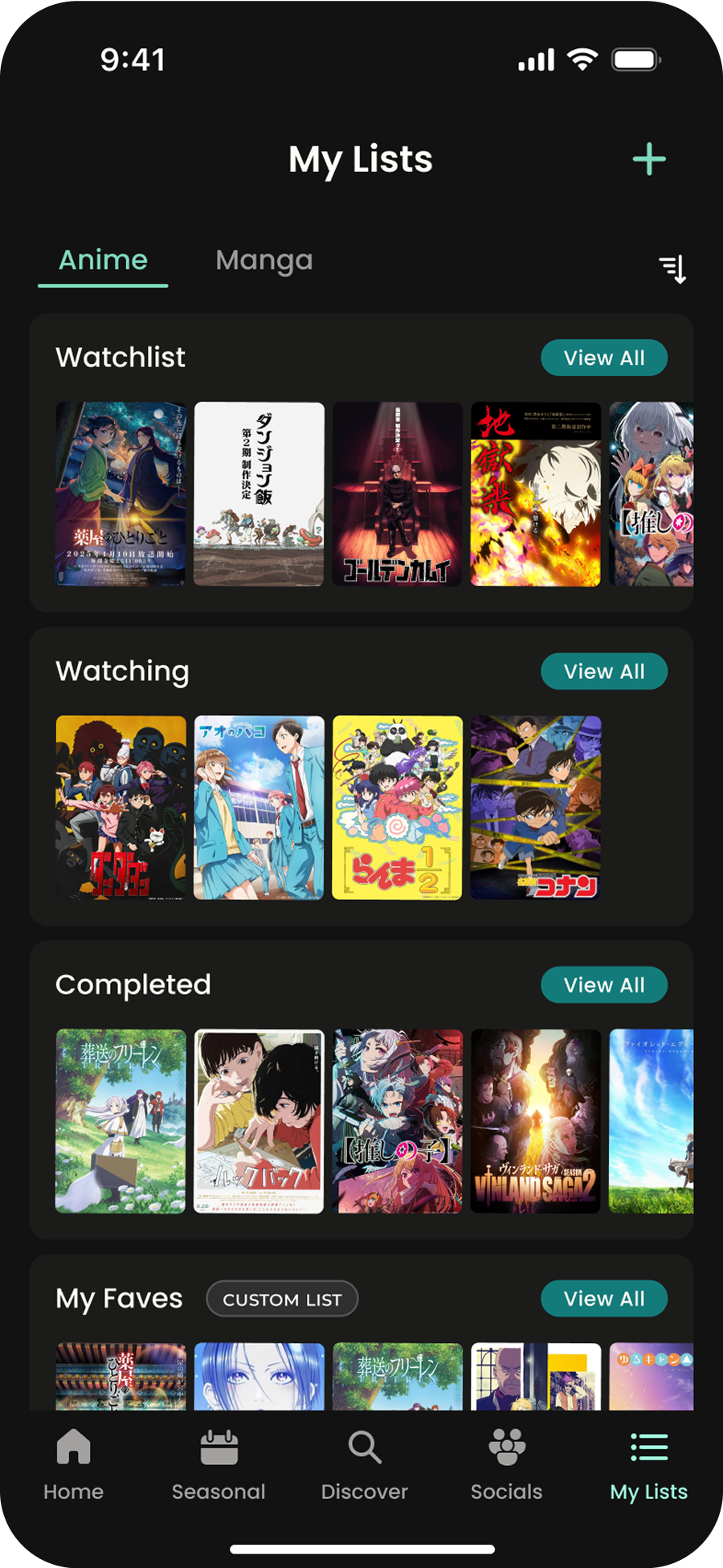
The list feature is the very core of the MAL app - users regularly add to lists, check existing lists, and make edits to lists. As such, this became my main focus for this redesign. The My List tab, which shows all the user’s lists, was improved to be easier to navigate - it was originally a mess with hidden/scrollable tabs and misleading buttons, (I could go on for ages about how unusable it is, but I digress).
There was also an issue with the representation of the lists themselves. Though the original list format took “list” very literally, it didn’t allow for an efficient display of information.
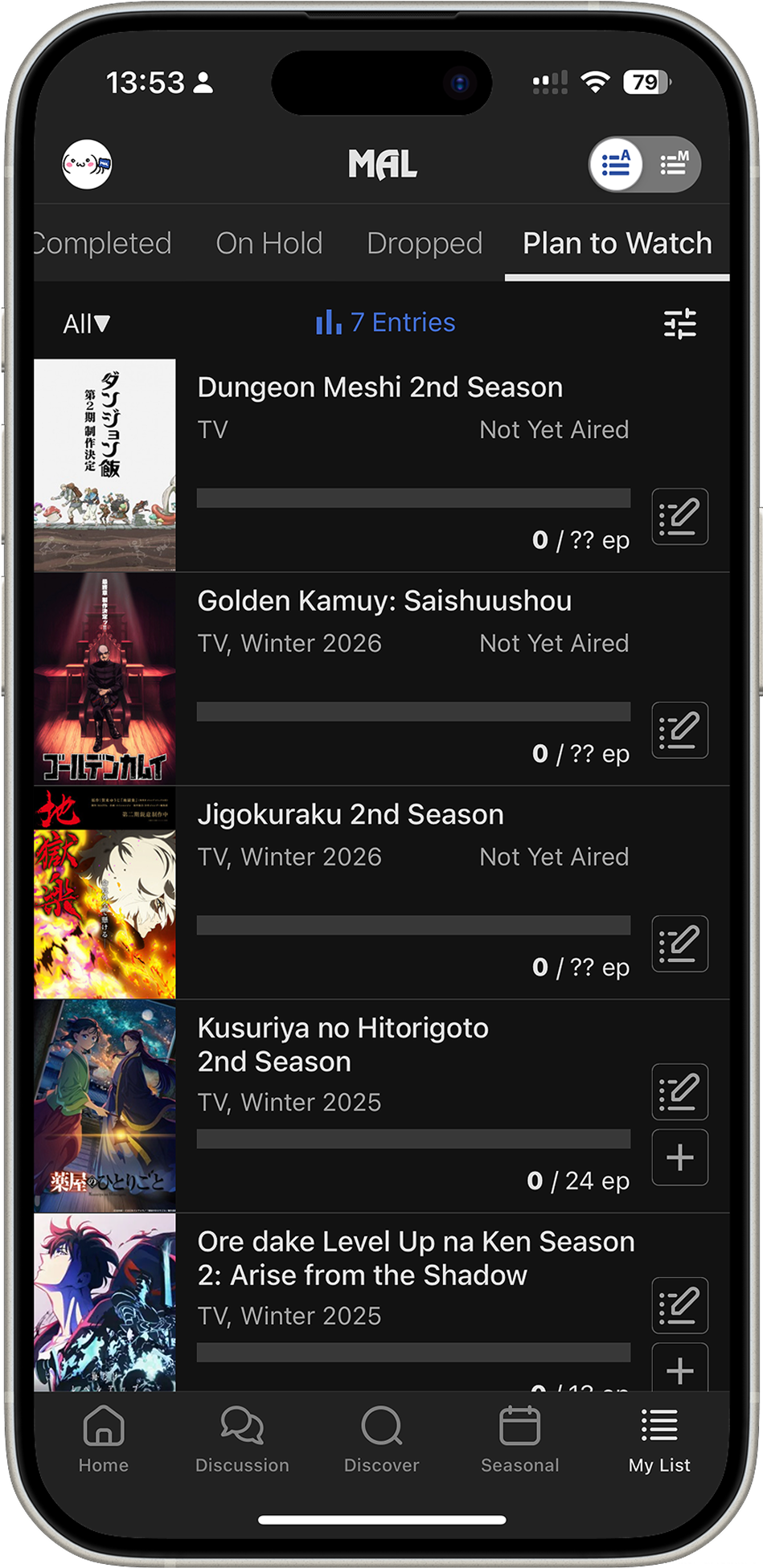
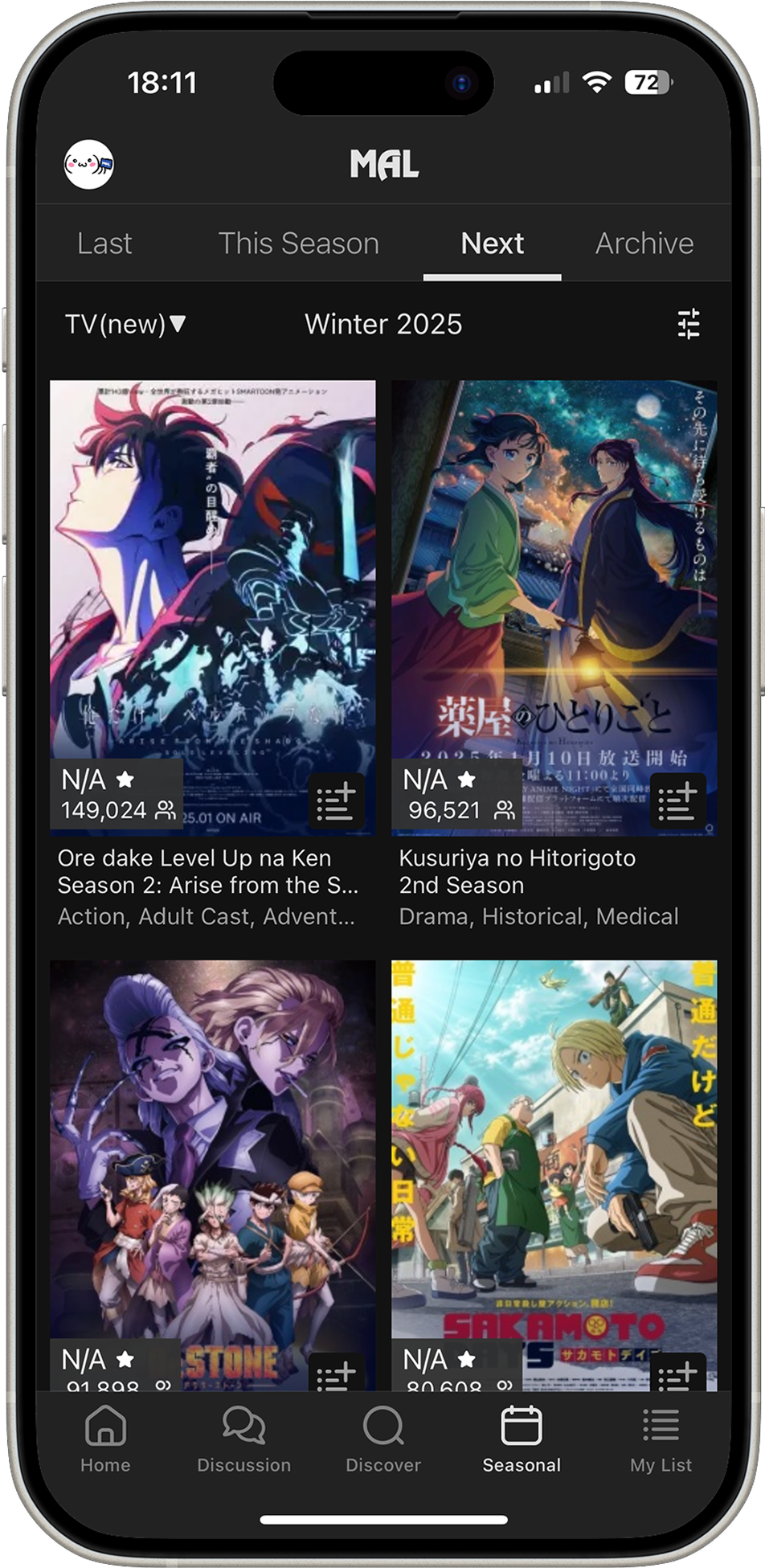
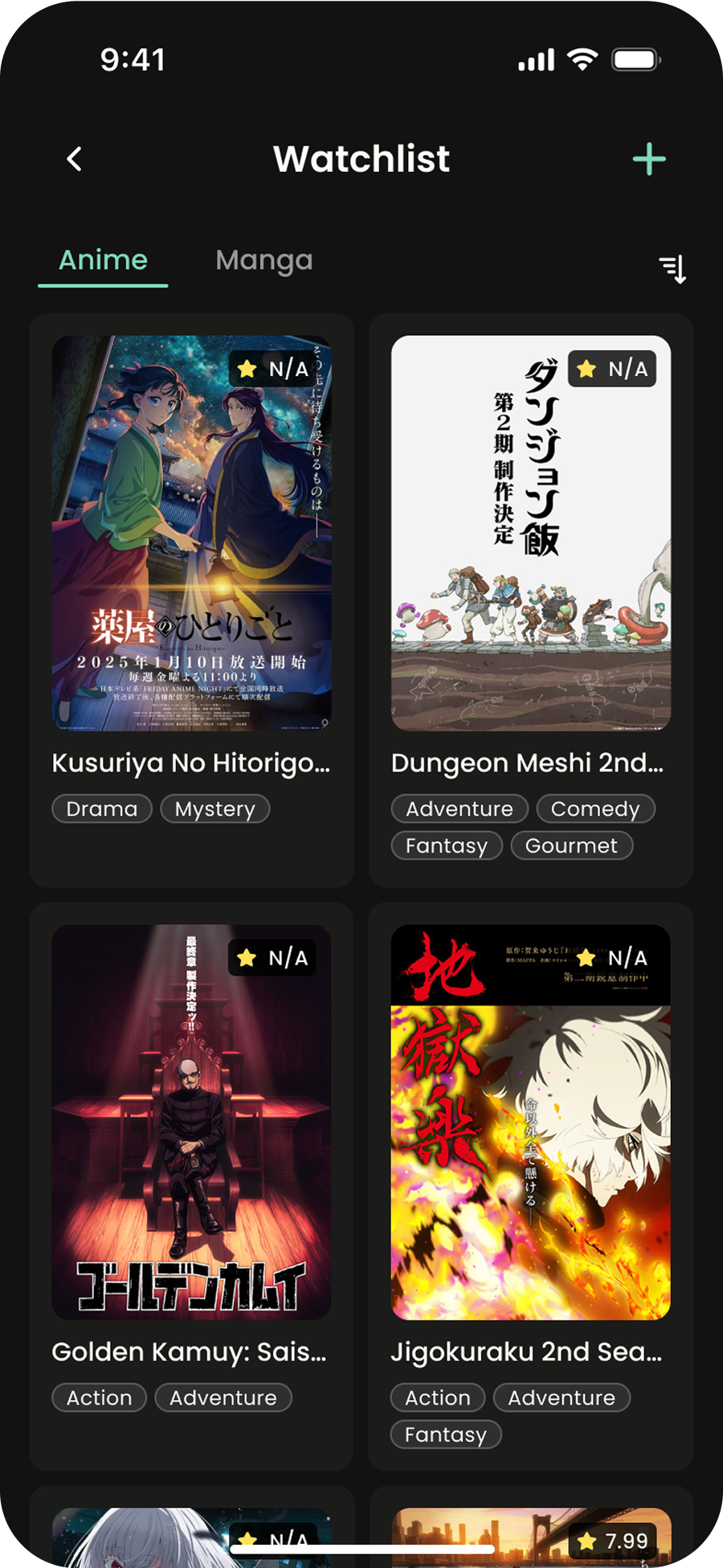
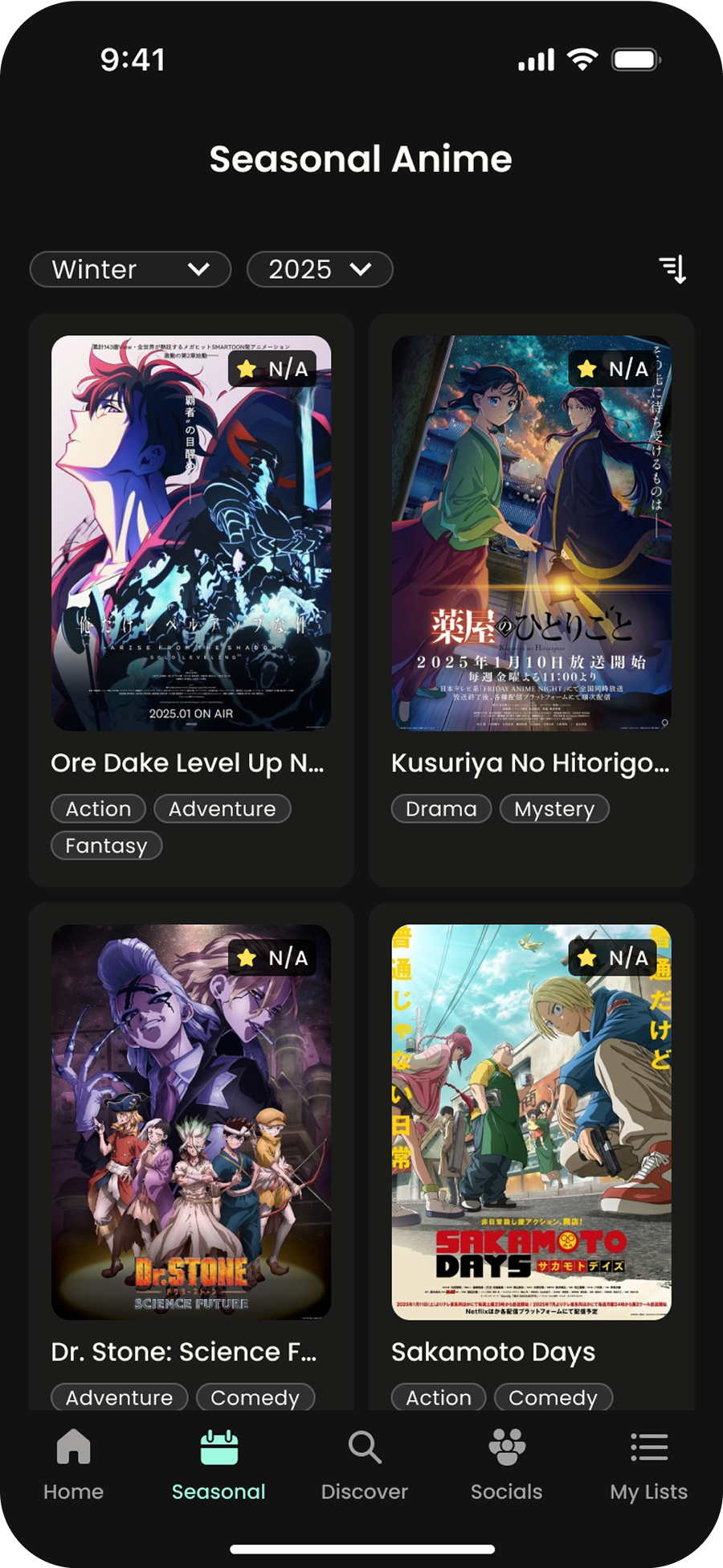
home screen
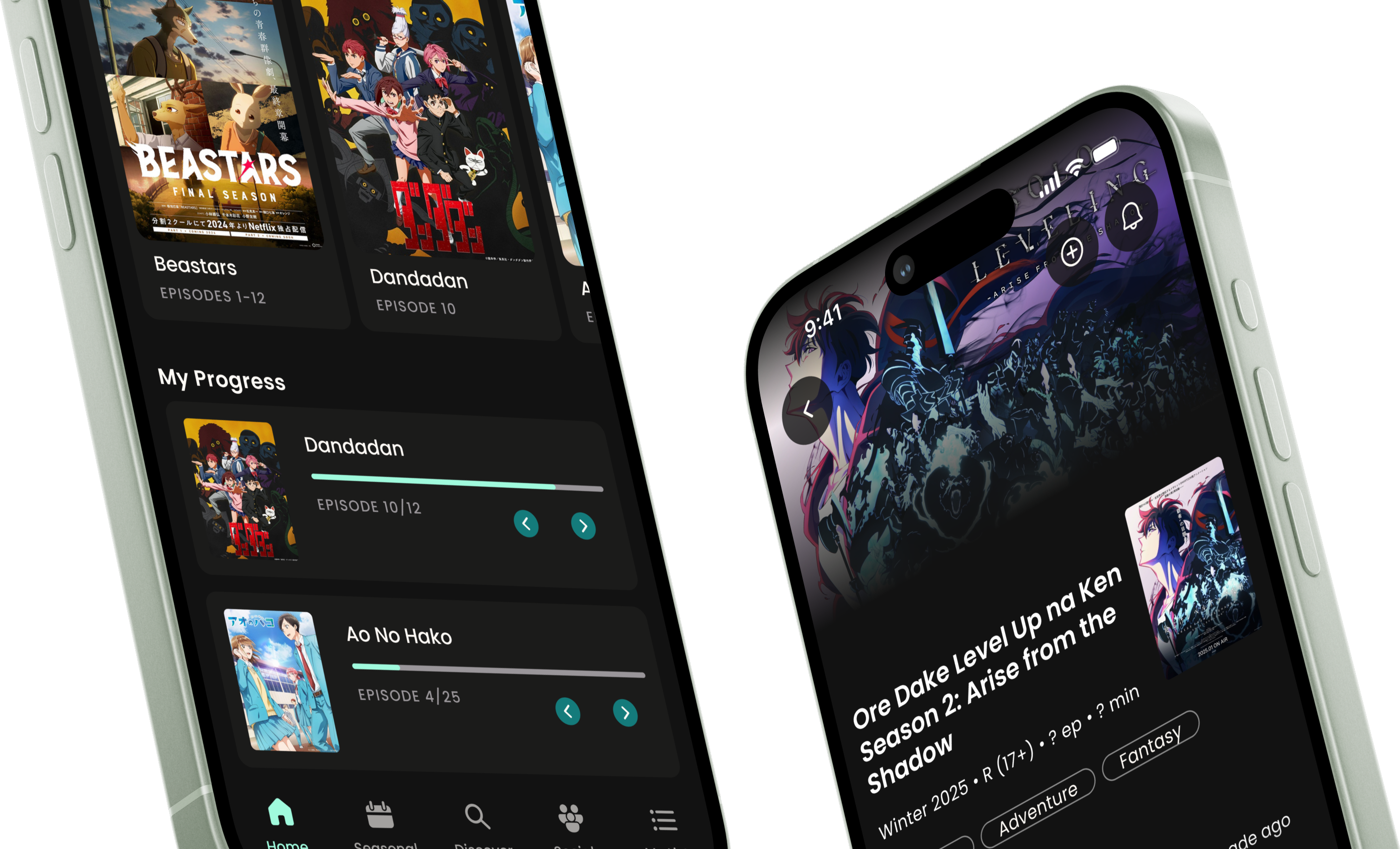
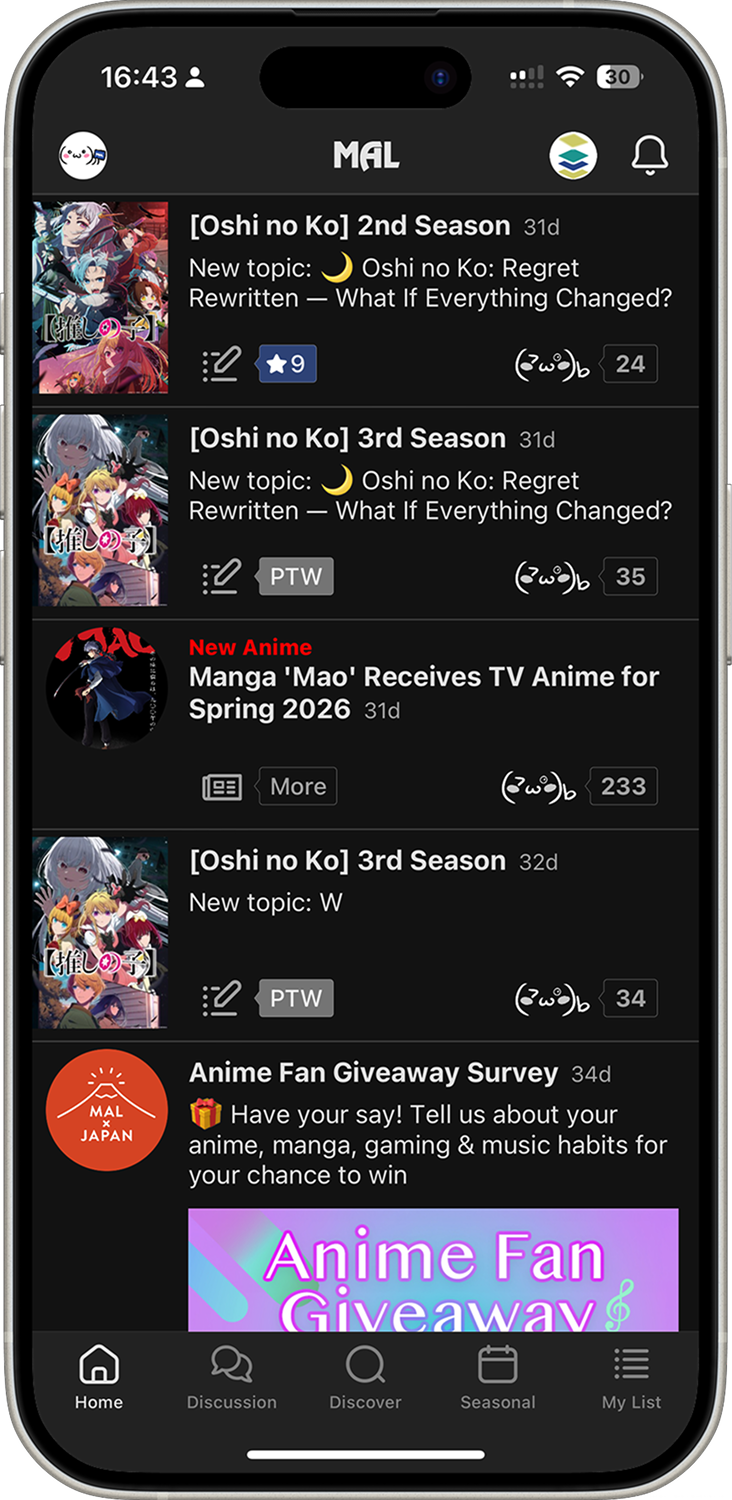
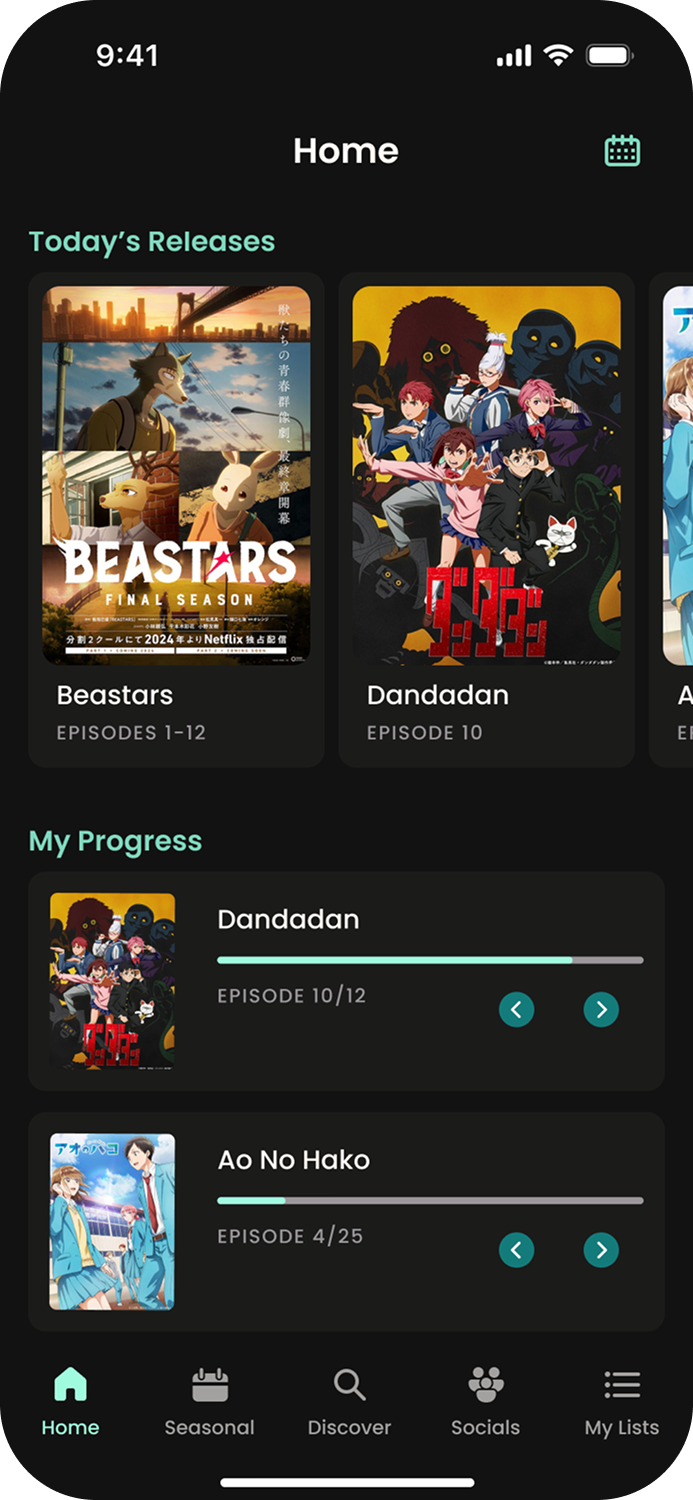
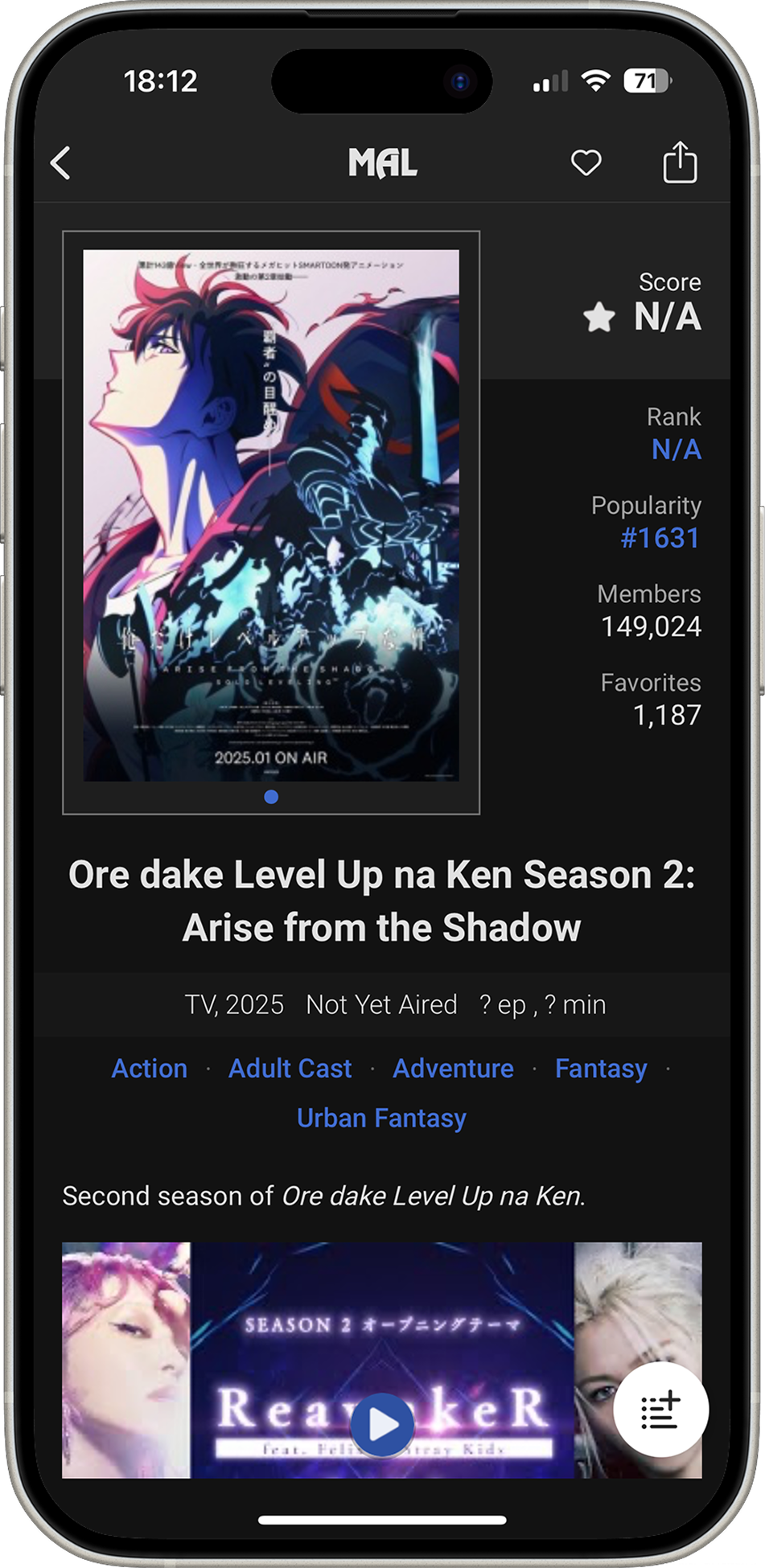
Right from the start, it was clear that a simple reorganization of the home screen wouldn’t be enough - it needed to be purged. As the first thing you see when you land in the app, the home screen should provide the most utility. However, it’s currently what seems like a love child between what intuitively would be the discover tab and discussion tab (except they have both those tabs as well). I decluttered the view from discussions and replaced them with high-priority feature shortcuts and information that pertains to the user the most.
Show Pages
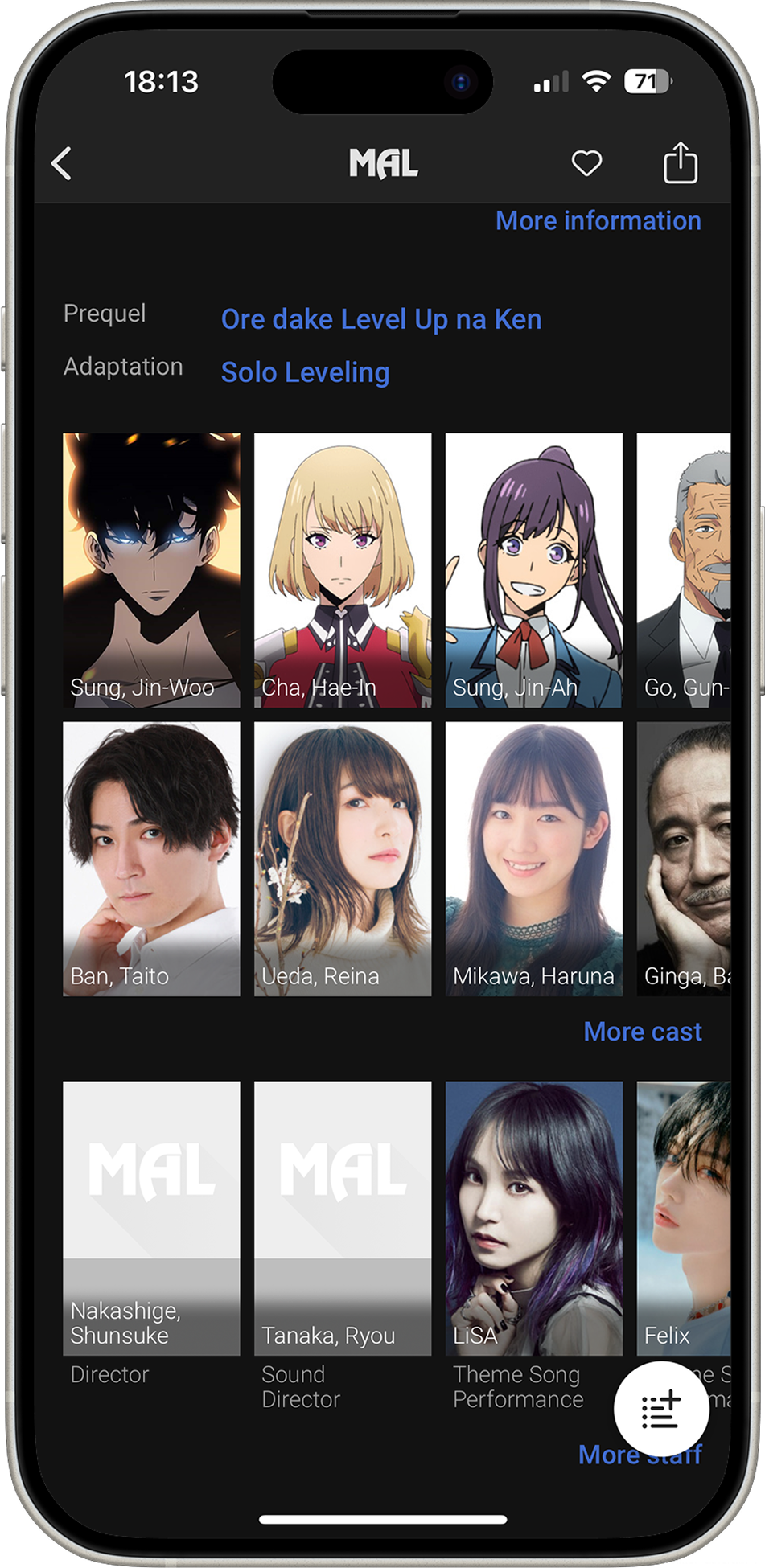
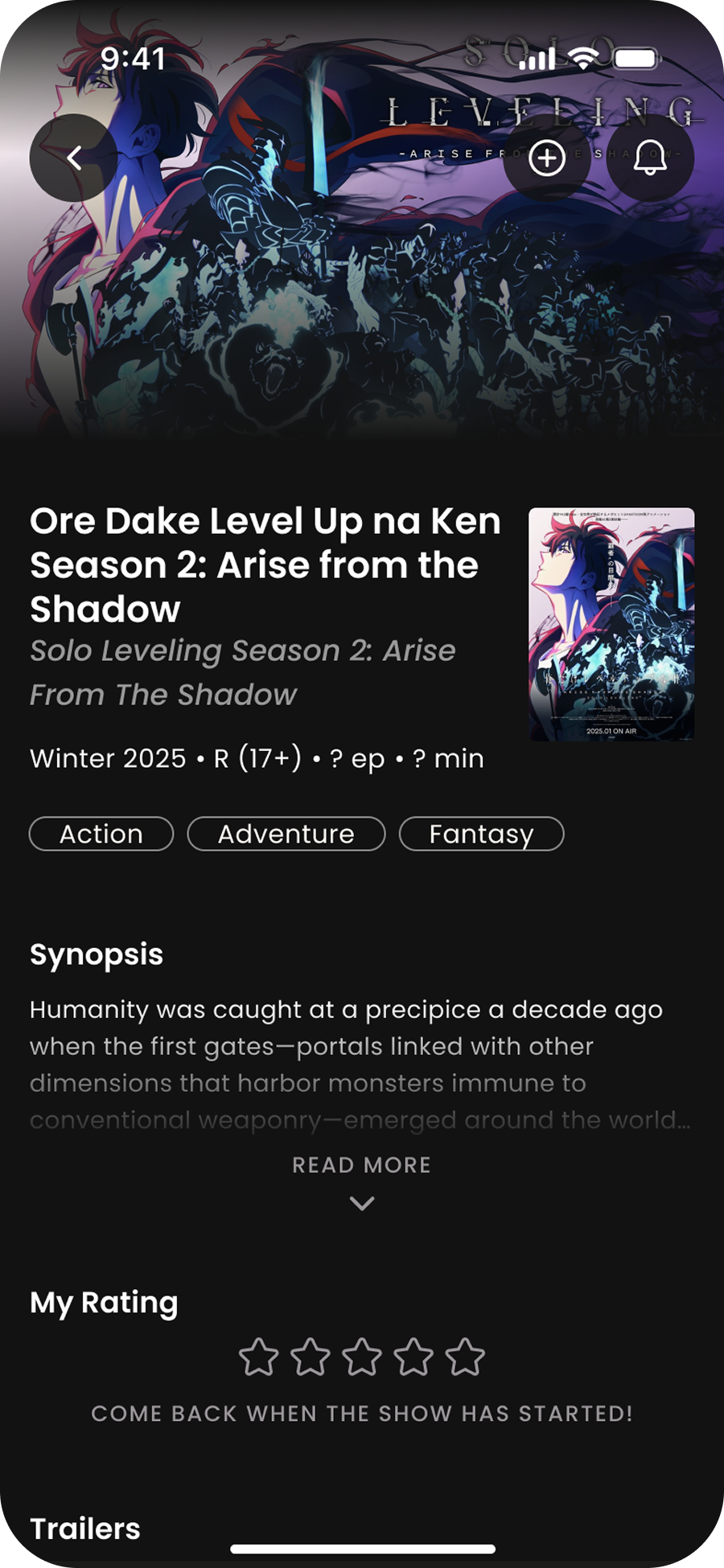
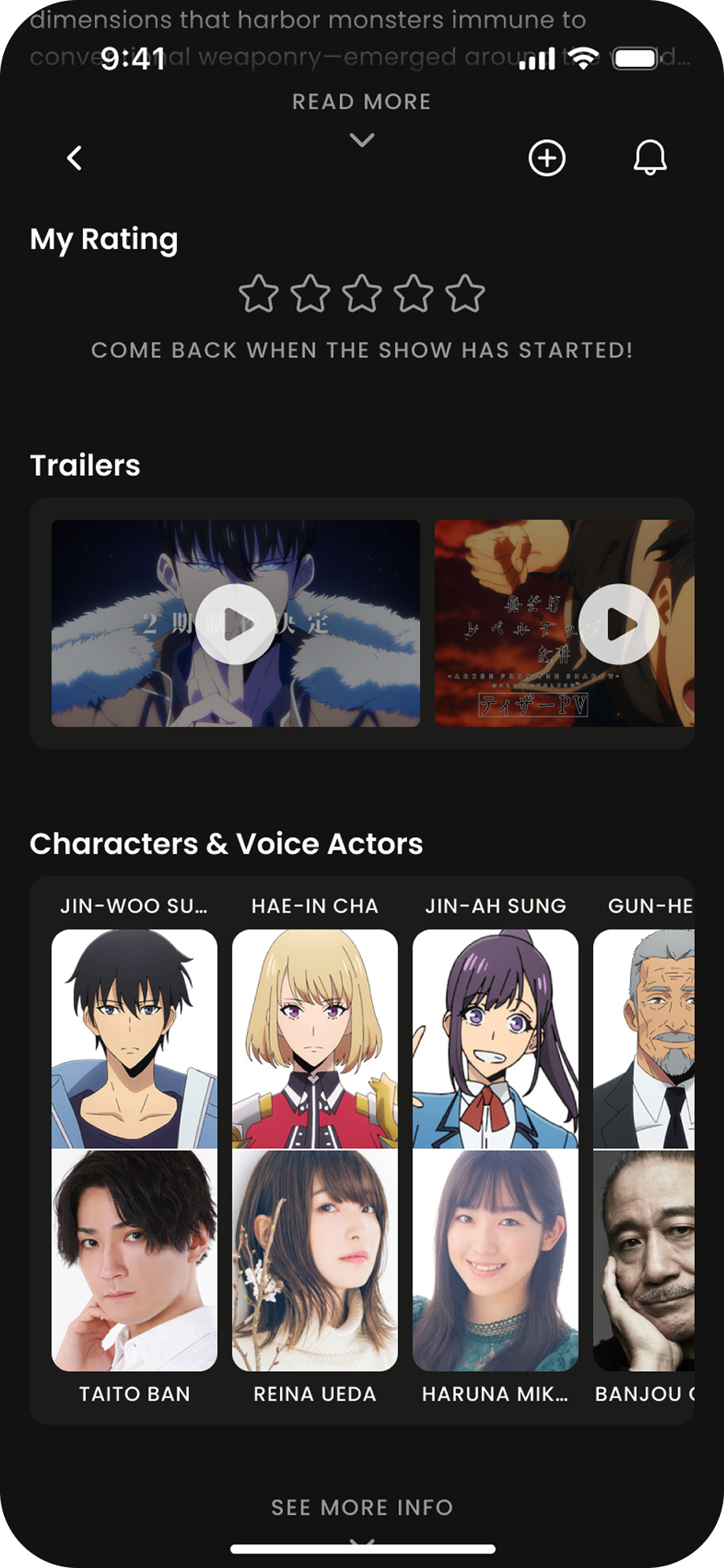
Due to MAL being a database app, redating the show pages largely translated to me reorganizing information (I couldn’t really delete anything). Nevertheless, reinforcing information hierarchy improved the page’s legibility.
accessibility
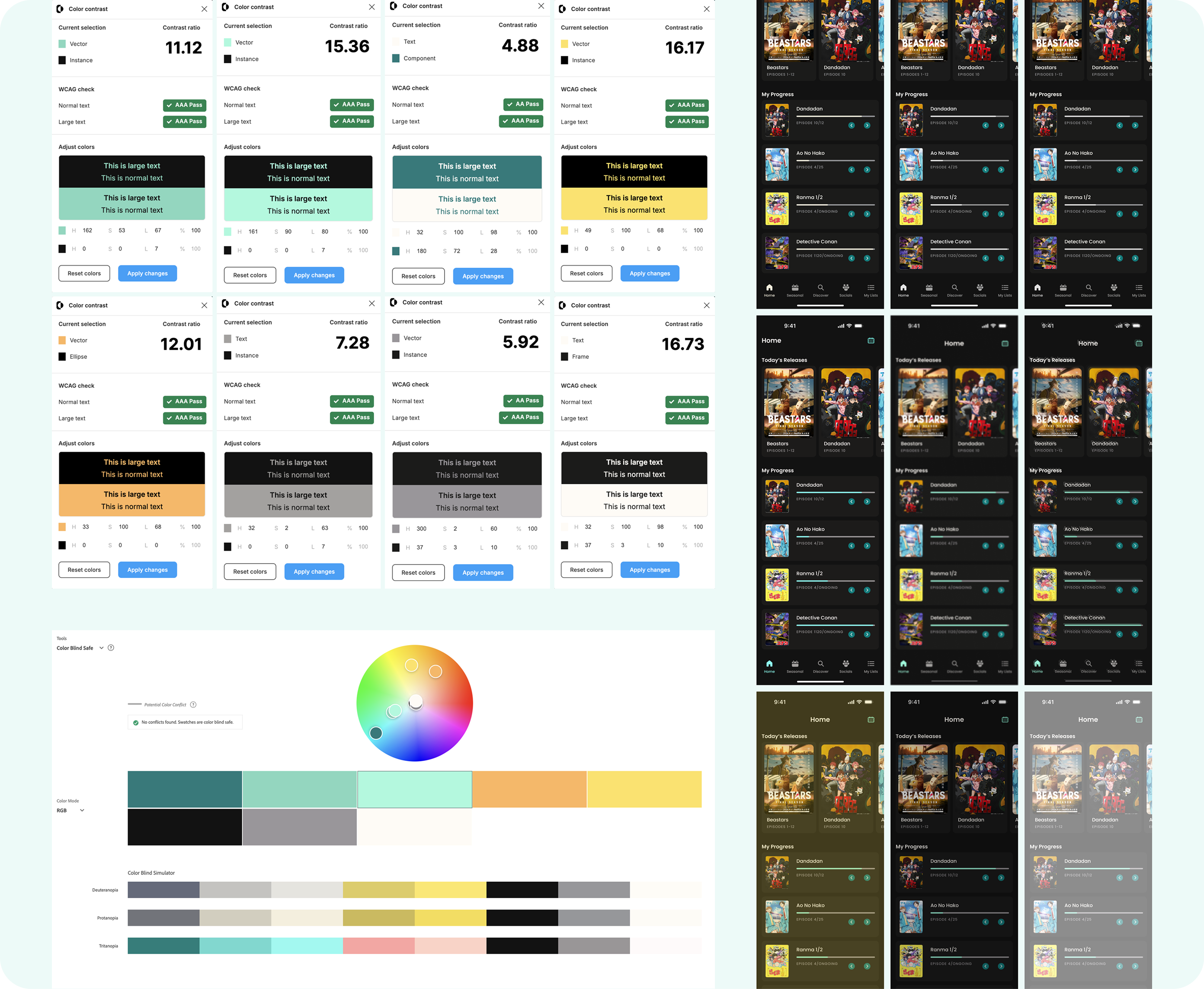
To make sure the redesign considers as many people as possible, accessibility was hugely considered throughout the entire project. Colours were tested with contrast ratios and colour blindness simulators to ensure enough contrast, and elements were sized according to accessibility standards to make sure they were comfortably sized.